A private note rarely looks like a classified document. It may be one line written after a difficult conversation, a journal entry, or a letter you have not sent. That is exactly why it is easy to leave open, expose in the recent-apps screen, or quietly copy to the cloud along with everything else.
The short answer to “can someone read my phone notes?” is yes — if that person or service can reach the open app, an unencrypted database, a backup, or the cloud account behind sync. The useful answer is more specific, because each route can be reduced in a different way.
The first reader may simply be holding your unlocked phone
The most common scenario needs no specialist tools. You hand over your phone to show a photo, leave it on a desk, or fall asleep with the journal open. Android is already unlocked, and an ordinary notes app trusts whoever is now looking at the screen.
A separate app PIN or biometric check creates a second boundary. Auto-lock closes it again after you switch away. None of this sounds as dramatic as cryptography, but it addresses the everyday risk you are most likely to meet.
The note may linger in the recent-apps preview
Android shows a snapshot of the last screen to make switching between apps easier. Harmless for a map, less so for a journal. The snapshot can become a perfectly readable copy of the page even after you have moved to another app.
A privacy-minded notebook should be able to blank that preview. In Loknot, screenshot blocking and a hidden recent-apps thumbnail come with Extra security. This is a useful barrier, not magic: a second phone can still photograph the first one.
The app company
Some notes services require an account and keep the primary copy on their servers. Whether the company can read it depends on the architecture: Is the sync end-to-end encrypted? Where does the key live? Are analytics libraries present? What does the privacy policy actually say?
“We care about your privacy” is not an architecture. Look for direct answers instead:
- Can the app create, edit, and search notes without an account or internet connection?
- Does the text ever go to the developer's server?
- Are advertising or third-party analytics modules built in?
- Is the database on the device encrypted?
- Who holds the key to any cloud copy?
Loknot works without registration and does not send note content to its developer. The local database is encrypted. Internet access is used only for features you choose to turn on, such as Google Drive sync.
The cloud provider
Sync is convenient: pick up another device and carry on. It also means the note now exists outside the phone. Without end-to-end encryption, the provider can technically process the content, and the security of the notes also rests on the security of your account.
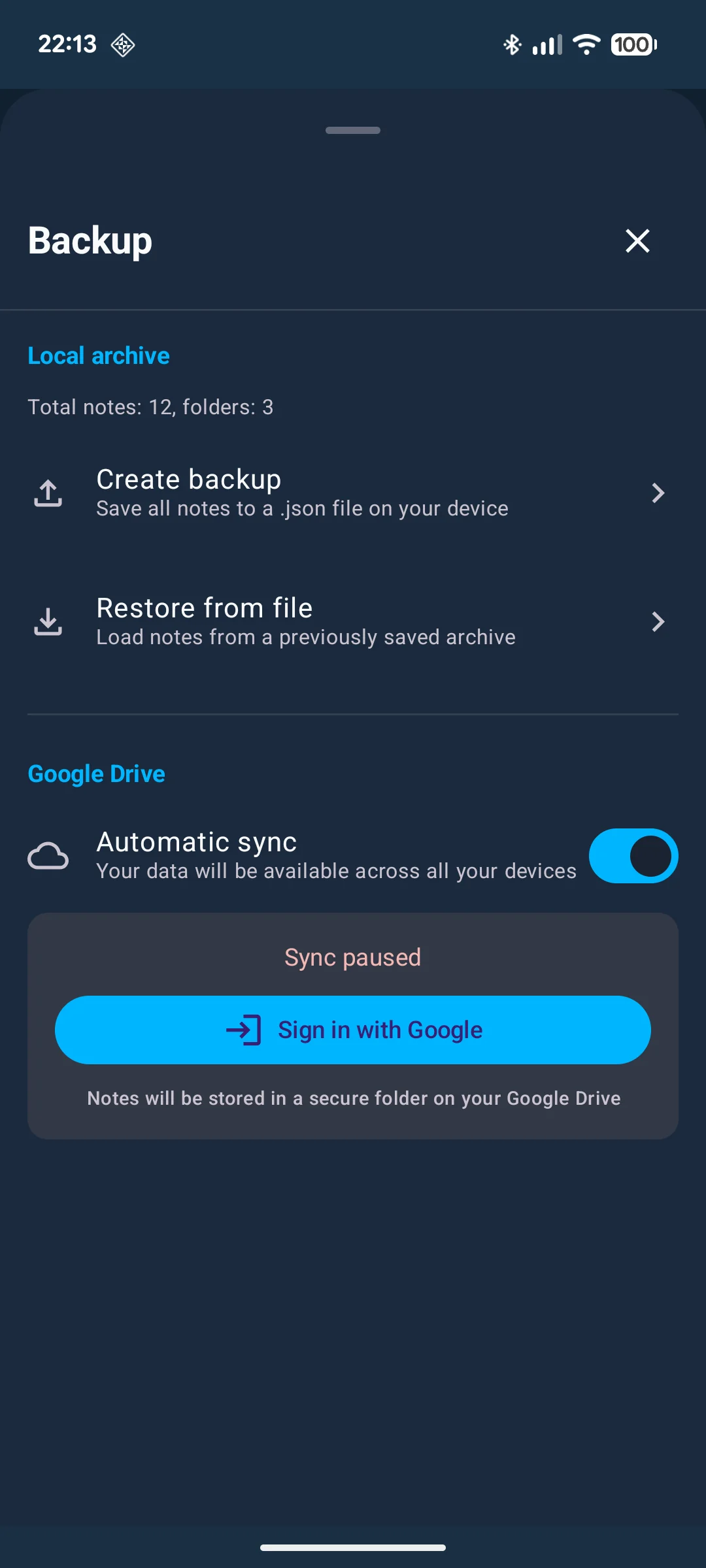
Google Drive sync in the current Free edition of Loknot is not end-to-end encrypted. The data sits in the app's private app-data area, but Google can technically read it. You can leave sync off for an especially sensitive folder while syncing less private work elsewhere.
Anyone who finds the backup
A backup exists for the bad day: the phone breaks, disappears, or needs a factory reset. A file containing your entire notebook is valuable in its own right. If it is unencrypted and clearly named “journal,” the lock on the app no longer matters.
Loknot can password-protect a local backup. That password cannot be reset by support, so keep it somewhere separate — preferably in a password manager. Store the file away from the phone it is supposed to rescue.
Malware or a compromised Android device
Malware with system privileges, root access, or active instrumentation tools can weaken the walls between apps. A secure notebook may spot some warning signs. It cannot turn a compromised phone into a trustworthy one.
Loknot checks its own build signature, the protection around its key, and several signs of an unsafe environment. A warning is a reason to investigate the device, not a button that repairs the operating system.
The person you send the note to
Exporting to .txt, .md, or .html creates a normal readable
file. Tapping Share moves a copy into a messenger, mail app, or another service. From that moment,
the destination's rules apply.
That is not a flaw in export; portability is the point. Before sending sensitive writing, check the recipient, the channel, and the conversation. A wrong address is a more ordinary failure than a broken encryption algorithm.
A seven-minute privacy check
- Use a strong Android screen lock and enable biometrics.
- Give the notes app its own PIN.
- Set it to lock again after moving to the background.
- Hide the content in Android's recent-apps screen.
- Review which folders sync and where they go.
- Create a protected backup away from the phone.
- Keep account credentials in a password manager, not a general notebook.
Privacy is not one switch. It is a short chain: a locked screen, a protected app, understandable storage, deliberate sync, and a backup that is not left in plain sight.
For the technical detail, read Private notes in Loknot. The exact PIN, biometric, and auto-lock controls are in the security guide.
Common questions
Can the app developer read my notes?
It depends on the app's architecture. Loknot stores notes in an encrypted database on the device and does not send their content to its developer.
Can Google read notes synced by Loknot Free?
The current Free sync is not end-to-end encrypted, so Google can technically read data held in its infrastructure.
Does screenshot blocking prevent every kind of copying?
No. It blocks system screenshots and hides the app preview, but it cannot stop someone taking a photo of an open screen with another device.
Updated: