An .md file is not an obscure developer format. Underneath,
it is ordinary text. Any basic editor can read it, while a handful of easy symbols turn lines into
headings, lists, links, and emphasis.
Markdown in plain English
Markdown is a way to structure writing without leaving the keyboard. Put two hash marks before a line and it becomes a subheading. Wrap a phrase in two asterisks and it becomes bold. The source remains readable even in an app that knows nothing about Markdown.
The .md extension tells Android and text editors how to interpret those symbols. You
may also see .markdown; it represents the same kind of document.
| You want | You type | You get |
|---|---|---|
| A heading | ## Trip plan | A level-two heading |
| Bold text | **important** | important |
| Italic text | *aside* | aside |
| A link | [Loknot](https://loknot.app) | A labeled link |
| A list item | - book the tickets | A bulleted list |
| A task | - [ ] call Alex | An unchecked task |
| Monospace text | `file_name` | Code or an exact name |
Many editors use double tildes for strikethrough: ~~done~~. It is a common extension,
rather than the smallest core of Markdown. Underlining is usually left out altogether because an
underline on the web conventionally means a link. If you need it, check the specific editor.
How to open an .md file on an Android phone
Android may not choose a suitable app automatically. After downloading the file, open the system's “Open with” menu and choose an editor that supports Markdown. If only a browser or file manager appears, install a Markdown editor or use the Import command inside your notes app.
Loknot opens both .md and .markdown. You can continue editing the source,
then switch to Preview to see formatted headings, clickable links, tables, and tasks.
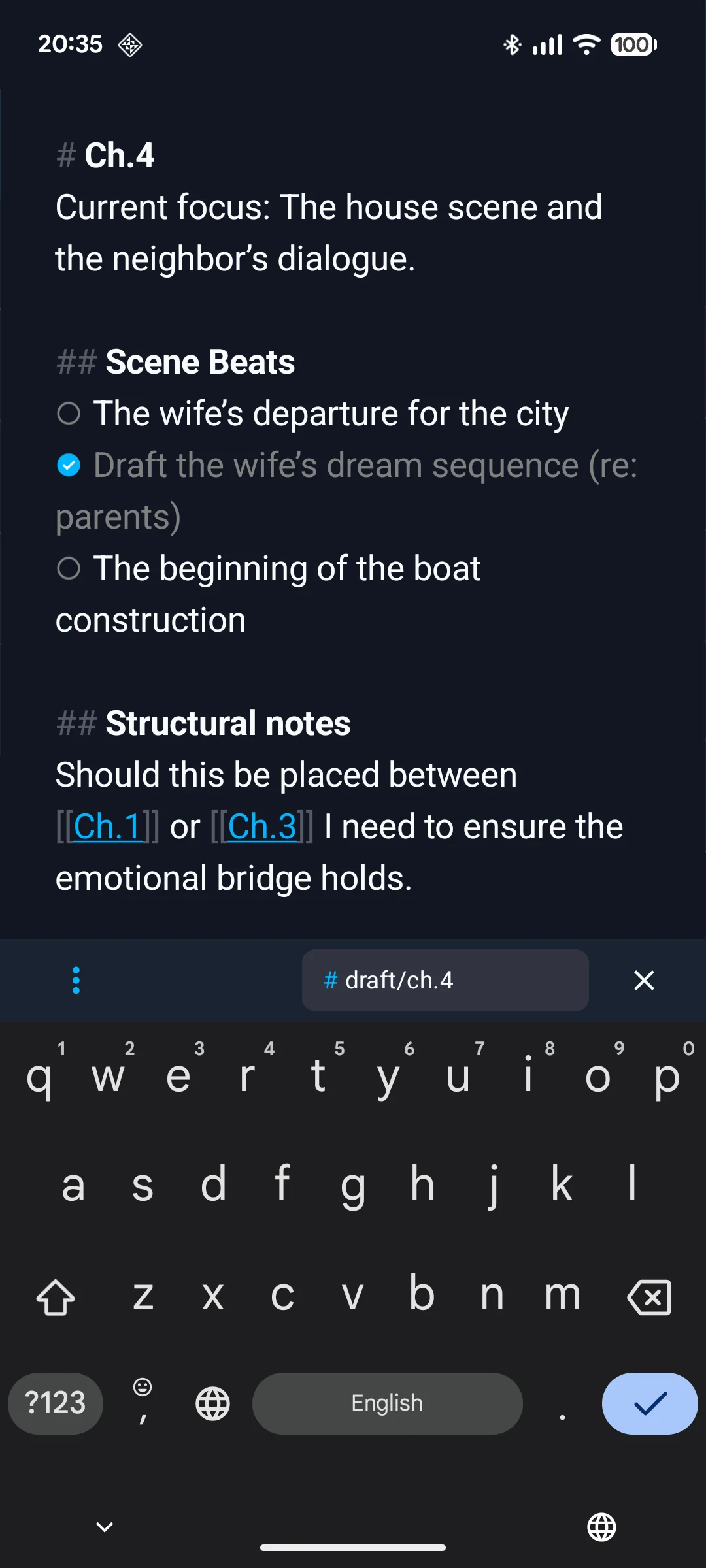
How to create a Markdown file on Android
Start with an ordinary note
Write normally. You do not need to mark up every paragraph; headings and lists are already enough to make Markdown useful.
Add the structure you need
Use hashes for headings, hyphens for lists, and square brackets for tasks. Loknot also puts common marks on its formatting bar.
Check Preview
Look at blank lines, nested lists, links, and tables before you hand the document to another app.
Export as .md
Choose Markdown in the Export menu. The result is a standalone text file you can save or send.
Open the file somewhere else
A quick test is worthwhile before sending it to an editor or moving an entire library.
How to share a Markdown file
Attach the .md file to an email, send it as a document in a messenger, save it to
Google Drive, or move it by cable. Sending the file is usually safer than pasting its source into
a message field, where a service may change line breaks or interpret asterisks as its own markup.
If the recipient only needs to read the document, include an HTML copy. It opens in a browser and
shows the finished formatting. If they will edit the source, the .md file is enough.
Why Markdown ages well
Proprietary formats are pleasant while you stay in one app. Markdown chooses portability instead. Years later, the file can still be opened as text, searched, and converted into something else.
- It opens on Android, Windows, macOS, and Linux.
- Full-text search does not require a special database.
- Editors, site generators, and knowledge systems understand it.
- It fits naturally into version control.
- Your words do not disappear with one app.
Where compatibility gets messy
Markdown has a widely understood core and a long tail of extensions. Headings, lists, links, and
emphasis travel well. Tables, footnotes, highlights, math, and internal links such as
[[Another note]] may behave differently from one editor to the next.
Wiki links are especially app-dependent. Another editor may leave them as plain text if it uses a different syntax or cannot find the note they point to. Before a large migration, export a small set containing tables, links, and tasks, then inspect it in the destination.
Markdown does not have to replace a comfortable editor. Its quieter advantage is ownership: the writing remains intelligible outside the app that created it.
Loknot's supported syntax is covered in Markdown in Loknot.
For the choice between .md, .txt, and HTML, read
the export formats guide.
Common questions
Can a normal text editor open an .md file?
Yes. It is a text file, so the content remains readable. A Markdown editor is needed only for a more comfortable preview and editing tools.
What is the difference between .md and .txt?
Both hold text. The .md extension tells an editor to interpret heading, list, and link punctuation as Markdown.
Why is a wiki link not clickable in another app?
Wiki links are not part of the universal Markdown core. The destination app must support the same syntax and be able to find the linked note.
Updated: